
Upload a photo
PNG, JPG or WebP · up to 10 MB
Choose a photo to generate a video.
A low bounce and an unmistakable solo groove
Turn one photo into a Fuzzy Dream dance video with a low squat, springy bounce and loose arm moves. Make a solo Skeur-inspired clip with your own subject.
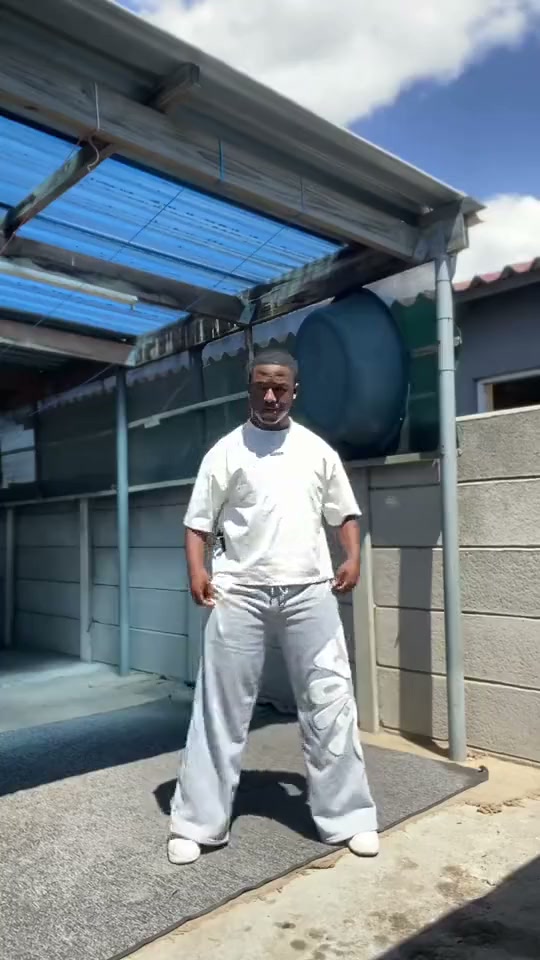
The Fuzzy Dream format is built around a low, wide stance: the dancer drops into a squat, pulses through the knees and lets the arms swing, lift and reset above the movement. The reference shows one dancer in a white shirt and grey trousers in a sunny yard, moving from an upright pause into the bounce. This preset creates a new solo interpretation from your photo, keeping the subject prominent against a simple setting so the stance and expression carry the joke.
Best for
- Use this for a playful solo dance
- a recognizable character edit or a pet performing an intentionally human-like groove. A bright
- uncluttered image works particularly well because viewers can see the knee bend
- arm shapes and wide foot placement. Keep it to one subject rather than trying to introduce a second dancer from another portrait.
Make your Fuzzy Dream dance video
Choose your photo
Choose one clear full-body photo with the face, hands and feet in frame. Leave room around the legs for a wide squat and above the head for raised arms. For a pet version, show the whole animal and its markings. A standing pose with an uncluttered background gives the motion more room than a close selfie or a seated, tightly cropped image.
Generate with the template
The preset sets up a solo, wide-stance dance with a low squat, small knee pulses and loose arm gestures, guided by the subject in your photo.
Review and download
Watch the transition into the squat, the distance between the feet and the return to balance. Check that the same face, clothes or fur markings remain recognizable while the arms move. A smaller, coherent bounce usually reads better than a deep bend that distorts the knees or pushes the subject out of frame.
Fuzzy Dream creative direction
Use this reference direction as a starting point in custom-prompt mode. The template runs fixed instructions; remixing is a separate workflow, not an edit to the preset.
Use the uploaded image as the visual reference for one recognizable subject, retaining the face, hairstyle, outfit or animal species and fur markings. Create a continuous full-body solo dance in a bright, simple courtyard with enough empty space around the performer. Start upright for a brief moment, then step into a comfortably wide stance and lower into a shallow squat. Add a few springy knee pulses with relaxed shoulder sways. Let the arms swing loosely, lift one forearm above the head and open outward before returning to a balanced stance. If the subject is an animal, use playful upright fantasy movement while retaining its recognizable anatomy and markings. Keep the camera fixed at full-body distance, the feet visibly connected to the ground and the motion compact. Maintain one subject throughout. No extra dancers, duplicated limbs, rapid cuts, captions or logos.
Before you create
Does Fuzzy Dream reproduce the original Skeur routine?
It uses the squat, bounce and loose arm gestures as a creative direction for a new performance. It does not transfer the reference dancer's exact choreography, beat timing or song recording. The existing preset flow uses one uploaded image and makes one solo clip; it does not combine two separate portraits into a duo.
Can I change the creative direction?
The preset uses fixed instructions. Copy the reference direction into custom-prompt mode to adapt it; this does not change the preset itself.
What video output should I expect?
The default length is 12s (reference ratio 540/960). The output follows your uploaded photo's aspect ratio and suits Use this for a playful solo dance, a recognizable character edit or a pet performing an intentionally human-like groove. A bright, uncluttered image works particularly well because viewers can see the knee bend, arm shapes and wide foot placement. Keep it to one subject rather than trying to introduce a second dancer from another portrait..
Put your subject in the Fuzzy Dream groove
Choose a clear full-body photo, generate the dance and check the feet, hands and likeness before downloading your clip.