
Upload a photo
PNG, JPG or WebP · up to 10 MB
Choose a photo to generate a video.
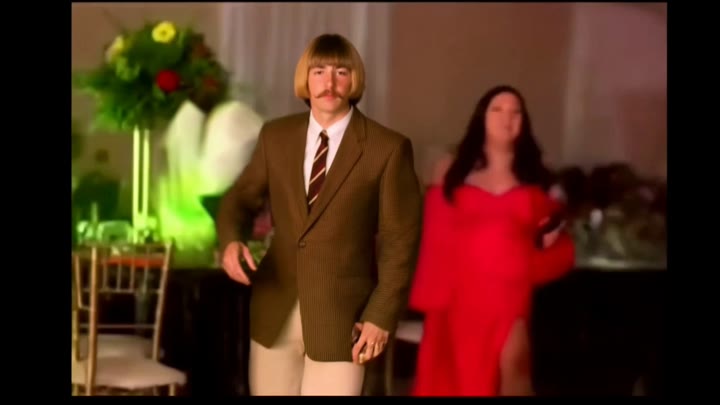
A Dime Dime Baby party entrance
Create a Dime Dime Baby inspired AI video from one photo. Explore a party entrance, sweet-bread prop, and deadpan stare in your own short clip on ReelAI.
The Dime Dime Baby idea mixes a confident party entrance with an unexpectedly serious look at the camera. This version takes that contrast as its starting point: a short approach, a sweet-bread prop, and a held expression before the subject turns back. Warm celebration lights establish the setting while the camera stays still enough for the joke to register. It is a new scene directed from one photo, not a replacement of the original party performer. Use it for a snack joke, a party invitation edit, or an expressive reaction cutaway.
Best for
- Party reaction edits
- Snack jokes
- Celebration invitations
- Deadpan meme clips
Make your Dime Dime Baby inspired scene
Choose your photo
Pick a standing photo with the face clear and both hands visible. Leave room around the torso for the bread prop. A simple shirt or jacket makes the small turn easier to follow than busy patterns or overlapping arms.
Generate with the template
Generate a single clip with this party preset. The prepared direction uses a modest step, a visible sweet-bread prop, and a pause toward the lens to keep the scene focused on the reaction.
Review and download
Check the prop and fingers before focusing on the stare. Look for a stable face during the approach and a clean shoulder turn at the end. Crop your edit around a readable reaction rather than a complicated biting sequence.
Direction for the party reaction
Use this reference direction as a starting point in custom-prompt mode. The template runs fixed instructions; remixing is a separate workflow, not an edit to the preset.
Create a playful party reaction using the single person in the uploaded photo. Keep the face and outfit recognizable as the subject takes a small rhythmic step toward a stationary phone camera. Set a softly lit celebration background with warm colored lights. Ask for a brief pause, a small sweet bread held near the chest, and an exaggerated serious look into the lens. Finish with a gentle shoulder turn back toward the party. Keep the hands visible, use modest movement, and avoid adding captions, logos, or other prominent faces.
Before you create
Will the bread bite and original party sequence be reproduced?
The preset uses the party mood and sweet-bread visual as creative direction for a new single-photo video. It is not a shot-for-shot edit of the reference scene. Fine interactions between fingers, food, and the mouth can vary, so this version favors holding the prop and delivering a deadpan reaction.
Can I change the creative direction?
The preset uses fixed instructions. Copy the reference direction into custom-prompt mode to adapt it; this does not change the preset itself.
What video output should I expect?
The default length is 9s (reference ratio 720/406). The output follows your uploaded photo's aspect ratio and suits Party reaction edits, Snack jokes, Celebration invitations, Deadpan meme clips.
Bring your photo to the party
Start with a clear standing photo and create a playful party moment built around a sweet-bread prop, a little movement, and a serious stare.