
Upload a photo
PNG, JPG or WebP · up to 10 MB
Choose a photo to generate a video.
A wet intersection becomes your next automotive highlight
Upload one photo. Animate a wet-road slide, spinning wheels and trailing spray in a 12-second car video with a smooth following camera. Ready to share.
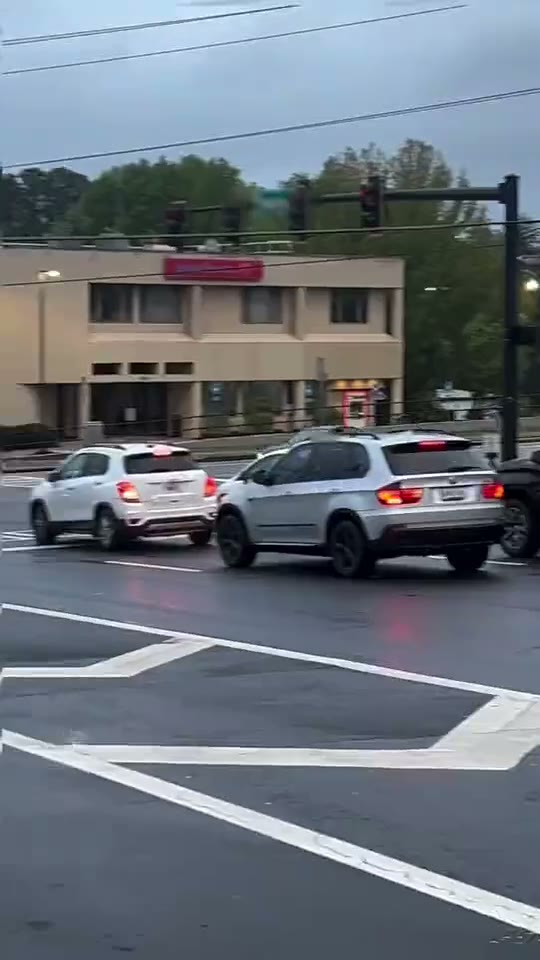
Car drift footage gets its punch from a changing angle, planted wheels and water kicked up behind the rear bumper. The reference follows a dark sedan across a wet intersection, then shows it angled across a lane before receding traffic leaves curved tire marks in the foreground. This Car Drift AI direction uses one starting image and keeps the movement continuous, concentrating on the visible action rather than rebuilding every source edit.
Best for
- automotive portfolio posts
- custom build reveals
- rainy street photography brought into motion using Car Drift AI when a still image needs a short
- focused visual story.
Create your Car Drift AI video from one image
Choose your photo
Keep the entire vehicle inside the frame with both visible wheels clearly separated from the body. Choose a three-quarter angle and leave extra pavement ahead of the bonnet. Wet asphalt provides reflections and spray that make the slide easier to read. Set up your Car Drift AI starting frame before choosing the motion.
Generate with the template
Select Car Drift AI and guide a measured approach, a controlled sideways turn and a clean forward exit. Keep the action focused on this short sequence so the opening, movement and final pose each have time to read.
Review and download
Inspect wheel spacing, panel lines and the contact between tires and asphalt. Spray should trail the moving vehicle rather than cover its identity. Reflections can shift across the wet surface, but road markings should remain anchored as the camera follows. Review the whole Car Drift AI clip once at normal speed, then pause on the busiest moment before choosing your final take.
Shape the Car Drift AI motion
Use this reference direction as a starting point in custom-prompt mode. The template runs fixed instructions; remixing is a separate workflow, not an edit to the preset.
Animate the uploaded image for Car Drift AI. Keep the paint color, headlights, wheelbase and body panels consistent. Begin rolling forward, rotate the wheels into a controlled wet-road slide, then straighten into the exit as water sprays behind. Follow smoothly from the existing three-quarter angle. Maintain rigid chassis geometry and clear road contact; avoid new vehicles, jump cuts and text.
Before you create
Does Car Drift AI turn a portrait into the roadside scene?
Start with a car image rather than a headshot. The reference depends on a complete vehicle and open road, so the single-image version follows that setup through one continuous sliding turn. Surrounding traffic is background context, not a sequence of separate reaction shots.
Can I change the creative direction?
The preset uses fixed instructions. Copy the reference direction into custom-prompt mode to adapt it; this does not change the preset itself.
What video output should I expect?
The default length is 12s (reference ratio 540/960). The output follows your uploaded photo's aspect ratio and suits automotive portfolio posts, custom build reveals, rainy street photography brought into motion using Car Drift AI when a still image needs a short, focused visual story..
Make your Car Drift AI video
Start with a well-composed image and turn it into Car Drift AI motion with a clear opening and a memorable finish.