
Upload a photo
PNG, JPG or WebP · up to 10 MB
Choose a photo to generate a video.
Your face, found under the spotlight
Try the I Lost You in the Crowd AI Video Generator from one photo. Create a nightclub spotlight reveal with a slow approach, soft crowd and an upward glance.
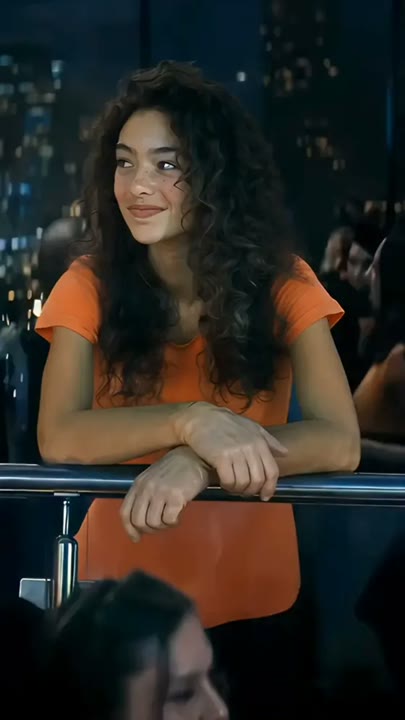
The I Lost You in the Crowd AI Video Generator turns a portrait into the person discovered under a nightclub spotlight. A wide dance-floor view narrows toward your subject as the warm light settles on them and they look upward with a small smile. Soft silhouettes and colored haze establish the club without competing for attention. This one-photo version centers on the spotlight reveal, not two separately cast balcony and dance-floor identities. It works for a character introduction, a romantic-mood edit or a dramatic profile reveal where being found in the crowd is the visual story.
Best for
- Nightclub spotlight reveals
- romantic-mood portrait edits
- dramatic profile introductions
Create your nightclub crowd reveal
Choose your photo
Choose one person with an unobstructed face, visible shoulders and clear outfit details. A waist-up or standing portrait works better than a tiny face in a crowd. Avoid strong colored shadows already covering the eyes.
Generate with the template
Upload your portrait and generate the club scene. The effect starts wide, finds your subject with a warm spotlight and moves closer as they look upward, keeping the surrounding crowd soft and anonymous.
Review and download
Check that the spotlight finds the uploaded subject rather than a background silhouette. The face should stay consistent during the approach, and the upward glance should not stretch the neck or blend with another person.
A slow approach to one featured subject
Use this reference direction as a starting point in custom-prompt mode. The template runs fixed instructions; remixing is a separate workflow, not an edit to the preset.
Create a cinematic nightclub spotlight reveal using the single person in the uploaded photo as the only featured identity. Preserve their face, hairstyle and outfit details. Begin with a wide view of a dim dance floor filled with soft anonymous silhouettes. A warm circular spotlight finds the subject, who pauses and looks upward with a small surprised smile. Move the camera slowly closer while keeping the subject separate from the background crowd. Use gentle haze and stable colored lights. No second featured portrait, identity swaps, romantic contact, added captions or abrupt scene changes.
Before you create
Can I cast both roles in I Lost You in the Crowd?
This I Lost You in the Crowd version uses one portrait for the person revealed under the spotlight. It does not provide separate balcony and dance-floor upload slots or control two named identities. The camera approach and upward glance create a short, self-contained reveal that you can use as the focus of your own edit.
Can I change the creative direction?
The preset uses fixed instructions. Copy the reference direction into custom-prompt mode to adapt it; this does not change the preset itself.
What video output should I expect?
The default length is 12s (reference ratio 406/720). The output follows your uploaded photo's aspect ratio and suits Nightclub spotlight reveals, romantic-mood portrait edits, dramatic profile introductions.
Step into the spotlight
Choose a clear portrait and create your spotlight reveal. Review the face and light placement, then download the take with the strongest moment of recognition.