
Upload a photo
PNG, JPG or WebP · up to 10 MB
Choose a photo to generate a video.
Big poses and a completely serious face
Make an I'm So In Love With You AI dance video from a photo. Try wide-arm poses, a straight face, and a playful two-pose performance for your next social edit.
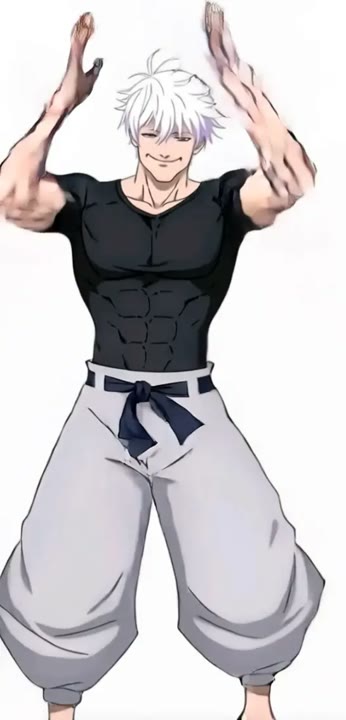
I'm So In Love With You AI dance edits turn an ordinary standing portrait into an unusually serious performance. The humor comes from big open arms, a proud fists-on-hips stance, and a face that stays committed to the moment. This template gives those two poses room to read instead of squeezing a four-pose montage into one short generation. A fixed full-body view keeps the silhouette clear and makes the change in attitude the main event. Use the result as a reaction meme or an expressive character clip, then build any music timing around the take you choose.
Best for
- Two-pose dance memes
- Straight-faced reactions
- Theatrical character clips
Make the two-pose dance meme
Choose your photo
Choose a single standing person with arms and hands fully visible. Leave room on both sides for an open-arm pose and keep the feet inside the crop. Avoid props that would obstruct the hips or shoulders.
Generate with the template
Upload a standing photo and select Generate video. The fixed direction keeps the camera wide while the subject moves from open arms into a proud closing stance, without a multi-scene dance montage.
Review and download
Look for a clear difference between the open-arm and fists-on-hips poses. Check wrists, elbows, and shoulder position during the change, and make sure the expression remains recognizable rather than turning into an unrelated singing face.
Direction for the open-arm performance
Use this reference direction as a starting point in custom-prompt mode. The template runs fixed instructions; remixing is a separate workflow, not an edit to the preset.
Animate the person in the reference photo into a playful, straight-faced dance with two exaggerated poses. Preserve their face, hairstyle, and outfit. Use a steady full-body camera and a simple indoor background. Begin with both arms open wide and the head tilted slightly upward. Lower the arms, place both fists at the hips, and finish with a proud, still pose. Add gentle weight shifts but no fast footwork, jumping, or camera cuts. Keep all limbs visible and naturally connected. Create a new expressive performance rather than matching a song or exact routine. No lyrics, captions, or extra dancers.
Before you create
Will this dance match the original song and all four poses?
The preset creates a new two-pose interpretation rather than reproducing a reference clip's exact timing or soundtrack. It focuses on open arms and the closing hips pose. If you want a four-pose sequence, plan it separately in custom-prompt or a suitable reference workflow, then edit your chosen music around the result.
Can I change the creative direction?
The preset uses fixed instructions. Copy the reference direction into custom-prompt mode to adapt it; this does not change the preset itself.
What video output should I expect?
The default length is 8s (reference ratio 406/720). The output follows your uploaded photo's aspect ratio and suits Two-pose dance memes, Straight-faced reactions, Theatrical character clips.
Give your portrait a dramatic pose
Pick a standing portrait with clear hands and space around the arms, then create your own straight-faced, two-pose dance interpretation.