
Upload a photo
PNG, JPG or WebP · up to 10 MB
Choose a photo to generate a video.
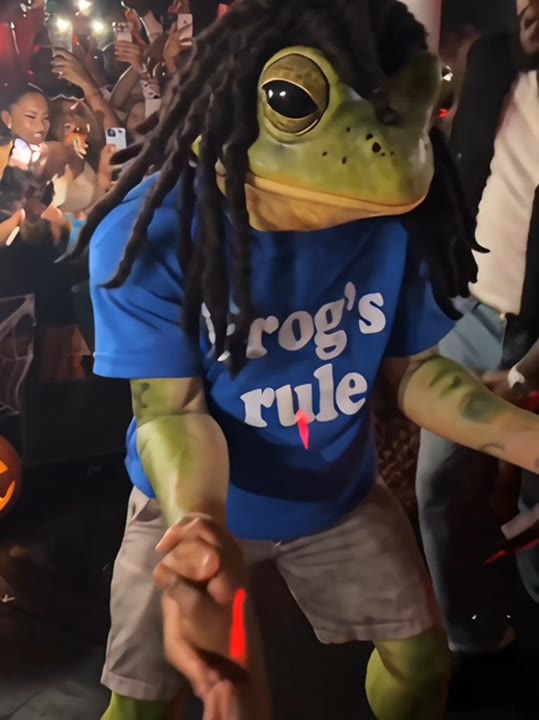
The relaxed Drake Shabang party mood
Create a Drake Shabang inspired AI video from one photo. Explore party lighting, a relaxed sway, and confident reactions in your own short clip on ReelAI.
A loose body sway and an unbothered look toward the lens give this Shabang-inspired party scene its personality. The direction uses warm lights and out-of-focus background shapes to suggest a busy room, while keeping your subject as the only clear performer. A gentle camera drift adds energy without turning the shot into a fast-cut montage. Instead of replacing a dancer inside the original party footage, the preset builds a new scene from your image. It suits an entrance joke, a relaxed celebration post, or a reaction to a beat in your own edit.
Best for
- Party entrance jokes
- Relaxed dance reactions
- Celebration edits
- Character groove clips
Create your Drake Shabang party clip
Choose your photo
Use a waist-up or full-body image with visible shoulders and space beside the arms. A clear expression helps the confident glance read well. Choose a single subject; other sharp faces may compete with the intended party performer.
Generate with the template
Generate a single party clip with this preset selected. The direction keeps your subject prominent and asks for an easy sway with a brief camera glance instead of an intricate dance sequence.
Review and download
Check that the background silhouettes stay secondary and that the body sway does not distort the torso. Watch for a stable face as the camera moves closer. Pick a clear reaction beat when cutting the result into a music edit.
Direction for the sway and camera glance
Use this reference direction as a starting point in custom-prompt mode. The template runs fixed instructions; remixing is a separate workflow, not an edit to the preset.
Bring the single subject in the uploaded photo into a lively party performance inspired by the Shabang meme mood. Use a medium shot, warm club lights, and softly blurred background silhouettes that never take the lead. Keep the subject's face and outfit recognizable. Start with an easy side-to-side body sway, add a shoulder bounce and a confident glance toward the lens, then finish with a brief held pose. Let the camera drift slightly forward without cuts. Keep movements compact, hands unobstructed, and the image free of captions or logos.
Before you create
Does Drake Shabang AI replace a character in the original video?
No. This preset creates a new party scene using one uploaded image and a short movement direction. It does not copy the original footage's performer, choreography, or camera timing. The goal is a relaxed sway and expressive party mood; add the audio and cuts that suit your edit afterward.
Can I change the creative direction?
The preset uses fixed instructions. Copy the reference direction into custom-prompt mode to adapt it; this does not change the preset itself.
What video output should I expect?
The default length is 10s (reference ratio 540/720). The output follows your uploaded photo's aspect ratio and suits Party entrance jokes, Relaxed dance reactions, Celebration edits, Character groove clips.
Give your photo a party entrance
Choose an expressive photo and create a warm party scene built around an easy sway, a little shoulder movement, and a confident look.