
Upload a photo
PNG, JPG or WebP · up to 10 MB
Choose a photo to generate a video.
A cheerful shuffle for a spooky character
Create a Spooky Scary Skeletons inspired AI video from one image. Explore a playful shuffle and Halloween pose, then review your short dance clip on ReelAI.
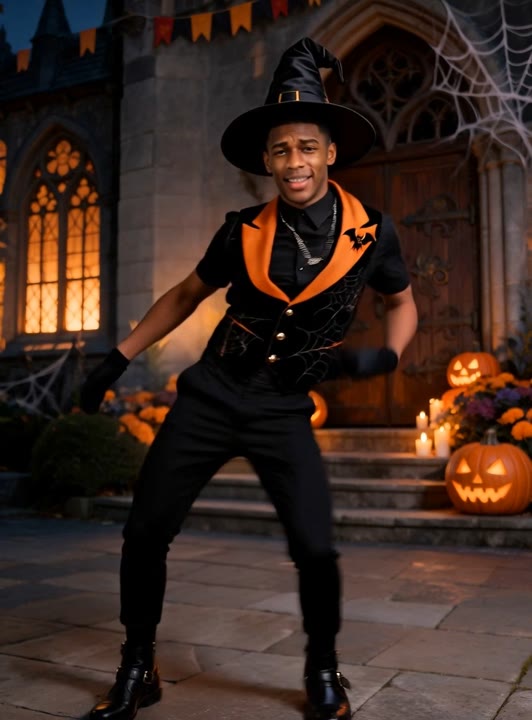
Spooky Scary Skeletons pairs a Halloween silhouette with cheerful movement rather than a frightening encounter. This preset asks for a compact shuffle, light arm swings, and a deliberately awkward final pose. A stylized skeleton image provides the clearest starting anatomy; a person in a visible skeleton costume offers another way to establish the look. The moonlit hallway gives the character room to move without filling the scene with distractions. Use the resulting short animation for a Halloween greeting, a costume post, or a funny dance insert that you can edit around your chosen sound.
Best for
- Halloween greetings
- Costume dance posts
- Playful skeleton animations
Create a Spooky Scary Skeletons clip
Choose your photo
Choose a full-body skeleton illustration or a person already wearing a skeleton costume. Keep hands and feet visible against a contrasting background. Separate the arms from the ribs so the small swings have clear starting shapes to follow.
Generate with the template
Generate one animation with the Halloween direction selected. It keeps the camera fixed and limits the performance to small steps and arm movements, giving the skeleton silhouette room to remain readable.
Review and download
Check the elbows, knees, and number of visible limbs during the side steps. Watch the skull or face as the head tilts. A clean short shuffle works better for this joke than a long sequence with tangled skeleton anatomy.
Direct the shuffle and final pose
Use this reference direction as a starting point in custom-prompt mode. The template runs fixed instructions; remixing is a separate workflow, not an edit to the preset.
Animate the single subject in the uploaded image as a playful Halloween dancer. Use a stylized skeleton costume or clearly drawn skeleton body while retaining the subject's recognizable head shape and pose. Set a softly moonlit hallway with room around the arms and feet. Begin with two small side steps, add a gentle arm swing and shoulder bounce, and end in a comic tilted-head pose. Keep the camera fixed and the movement light rather than frightening. Maintain coherent limbs, soft shadows, and one continuous shot without text or extra dancers.
Before you create
Should Spooky Scary Skeletons start from a costume photo or a drawing?
Either can establish the Halloween look, provided the whole figure is clear. A skeleton drawing makes the intended anatomy explicit, while a costume photo retains more of a person's appearance. This preset creates a short movement interpretation rather than supplying the song or reproducing a specific dance routine from a video.
Can I change the creative direction?
The preset uses fixed instructions. Copy the reference direction into custom-prompt mode to adapt it; this does not change the preset itself.
What video output should I expect?
The default length is 11s (reference ratio 532/720). The output follows your uploaded photo's aspect ratio and suits Halloween greetings, Costume dance posts, Playful skeleton animations.
Give your skeleton a little rhythm
Upload a clear skeleton character or costume photo and explore a light Halloween shuffle, then keep the strongest pose for your greeting or dance edit.