
Upload a photo
PNG, JPG or WebP · up to 10 MB
Choose a photo to generate a video.
Retro steps under neon lights
Make an Ice Ice Baby AI dance video from one photo. Try compact retro steps and a confident turn on a wet neon street, with your own appearance as the lead.
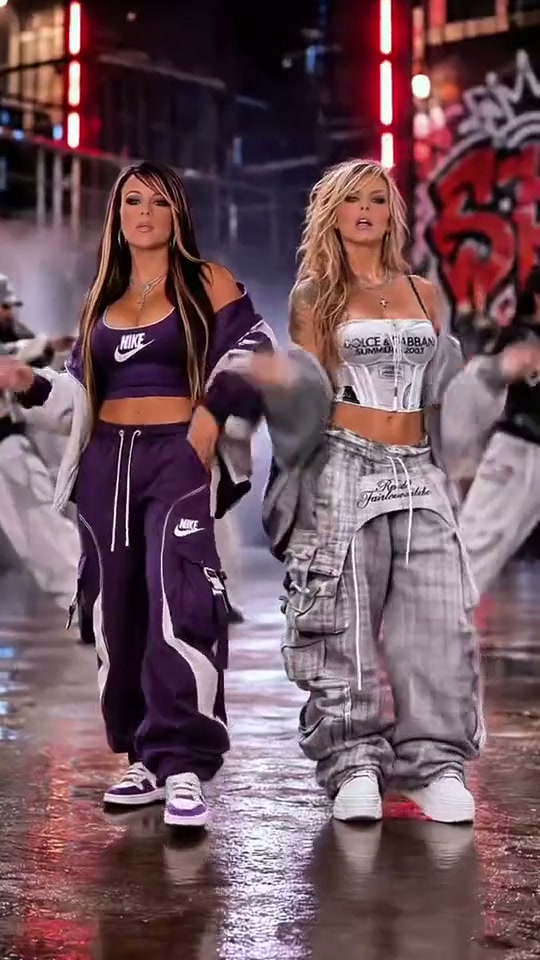
Ice Ice Baby pairs loose streetwear with a bouncy retro performance. The complete reference shows a duo on a wet industrial street, with red neon tubes and graffiti behind them. A closer exchange sits between wider dancing views. Its fifty-one-second reference stays intact; your generation uses the existing shorter preset duration and a condensed sequence of steps, a turn and a confident approach.
Best for
- A retro outfit post
- a dance reaction or a solo tribute to nineties street-video styling. The wet pavement and neon backdrop give small footwork a clear setting.
Set up your street-dance photo
Choose your photo
Choose one full-body adult photo with both feet visible and room beside the elbows. If two selected friends should dance together, supply one prepared image already showing both people in the scene.
Generate with the template
Keep two bouncing steps, a restrained turn and a short approach rather than asking for the entire long routine.
Review and download
Check shoe shapes and the spacing between steps. Keep the face and outfit consistent through the turn, and make sure a prepared duo retains its original left-right order.
Direct a compact nineties groove
Use this reference direction as a starting point in custom-prompt mode. The template runs fixed instructions; remixing is a separate workflow, not an edit to the preset.
Create an Ice Ice Baby-inspired retro dance with the adult in the uploaded photo. Preserve their face, hairstyle, outfit and proportions. Establish one wet nighttime street with industrial walls, soft red neon tubes and reflected light. Animate two small bouncing side steps, a relaxed forearm swing and a restrained turn, then take one confident step toward the camera. If a second adult is already present, preserve both distinct faces and their sides; otherwise use one lead. Keep shoes grounded, jacket details coherent and the camera steady. No full reference choreography, source recording, specified lyrics, extra featured people, logos or captions.
Before you create
Does the preset recreate the whole reference dance?
It makes a short interpretation of the retro steps and street atmosphere. The long preview is inspiration, not a promise of the same running time, exact movement sequence or original recording.
Can I change the creative direction?
The preset uses fixed instructions. Copy the reference direction into custom-prompt mode to adapt it; this does not change the preset itself.
What video output should I expect?
The default length is 12s (reference ratio 540/960). The output follows your uploaded photo's aspect ratio and suits A retro outfit post, a dance reaction or a solo tribute to nineties street-video styling. The wet pavement and neon backdrop give small footwork a clear setting..
Take your own retro dance turn
Bring a full-body photo and give the retro street scene a recognizable lead.