
Upload a photo
PNG, JPG or WebP · up to 10 MB
Choose a photo to generate a video.
Let the approach carry the attitude
Create a Fergie Baby Walk inspired AI video from one photo. Explore confident park-path steps and a backward tracking shot, then review your clip on ReelAI.
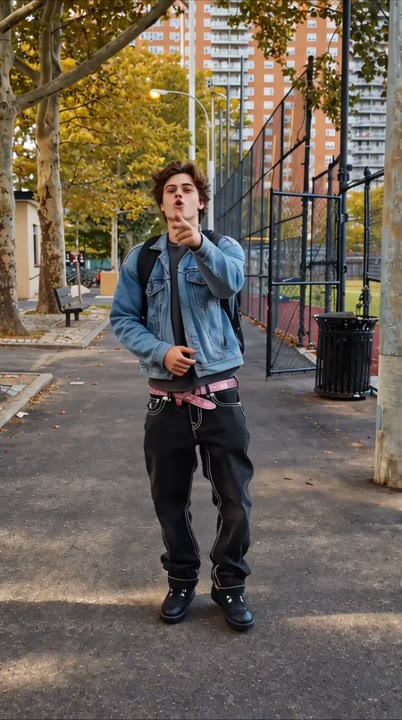
Fergie Baby Walk places the performance in the approach: a person comes down a park path while the camera retreats in front of them. The fence and trees provide familiar street-scene details, but the subject's posture and hand gesture carry the mood. This preset asks for measured steps and a brief sideways glance instead of transferring a whole reference performance. A full-body starting photo helps establish the shoes and clothing that remain visible during the walk. Use the short result for an entrance joke, an outfit introduction, or a confident transition into another part of your edit.
Best for
- Park-path entrances
- Outfit introductions
- Confident transition clips
Create a Fergie Baby Walk interpretation
Choose your photo
Choose a standing full-body image with both shoes, hands, and face unobstructed. Keep the legs separate and avoid a seated pose. Clothing with a clear silhouette helps the backward-tracking shot retain a readable body shape through each step.
Generate with the template
Generate one walking clip with the prepared direction selected. It asks for a few measured steps and a small hand movement, while the camera eases backward to keep the subject's shoes and expression visible.
Review and download
Follow the shoes through the walking cycle and check that the fence stays behind the subject. Watch for sliding feet or changing trousers. Keep a clean stretch of steps rather than expecting the exact timing of the original performance.
Direct the steps and backward camera track
Use this reference direction as a starting point in custom-prompt mode. The template runs fixed instructions; remixing is a separate workflow, not an edit to the preset.
Animate the single person from the uploaded photo in a confident outdoor walking performance. Preserve the face, clothing, and body proportions. Establish a park path beside a chain-link sports-court fence and autumn trees. Let the subject take a few measured steps toward the camera with relaxed shoulders, one small chest-level hand gesture, and a brief glance to the side. Track backward smoothly at the same pace, keeping the shoes in view. Finish on a confident forward look. Use overcast daylight, one continuous take, no captions, and no additional lead characters.
Before you create
Does Fergie Baby Walk need a video reference?
Not for this preset. It uses one photo and a prepared park-walk direction to create a new interpretation. The camera movement and gestures are requested in text rather than copied from a supplied clip. Use a full-body image, then review the walking cycle, facial features, and clothing before choosing your favorite section.
Can I change the creative direction?
The preset uses fixed instructions. Copy the reference direction into custom-prompt mode to adapt it; this does not change the preset itself.
What video output should I expect?
The default length is 12s (reference ratio 414/720). The output follows your uploaded photo's aspect ratio and suits Park-path entrances, Outfit introductions, Confident transition clips.
Give your photo a confident entrance
Start with a full-body photo and explore a park-path entrance, using steady steps and a relaxed gesture to give your subject a confident introduction.