
Upload a photo
PNG, JPG or WebP · up to 10 MB
Choose a photo to generate a video.
An athletic kick pose followed by a confident celebration
Upload one photo. Animate a dynamic kick pose and a confident celebratory turn from your fighter portrait in a focused 12-second action clip. Ready to share.
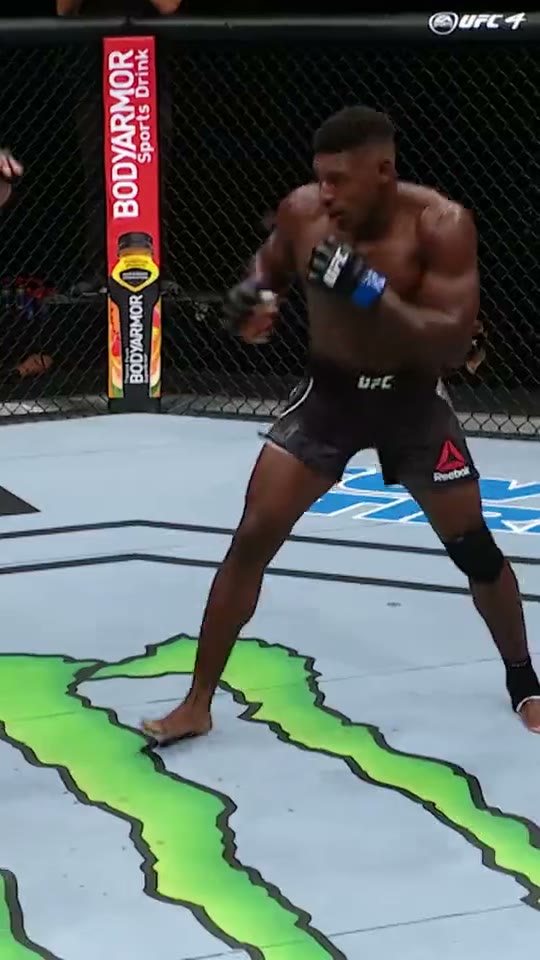
Joaquin Buckley Knockout inspires a compact athletic sequence built around a kick pose and a celebratory turn. The sampled reference shows two gloved fighters in a fenced ring with one holding an extended leg, then a dark-shorts fighter turning with his mouth open and later raising his arms near the fence. This Joaquin Buckley Knockout direction uses one starting image and keeps the movement continuous, concentrating on the visible action rather than rebuilding every source edit.
Best for
- combat-sport profile reels
- training milestone posts
- athletic portrait reveals with a decisive finishing pose using Joaquin Buckley Knockout when a still image needs a short
- focused visual story.
Create your Joaquin Buckley Knockout video from one image
Choose your photo
Choose a full-body athletic image with visible arms and legs and clear space around the stance. A ring-like background helps establish the setting immediately. Gloves can be present from the start; keep the lifted leg separated from the torso and any foreground equipment. Set up your Joaquin Buckley Knockout starting frame before choosing the motion.
Generate with the template
Select Joaquin Buckley Knockout and guide a readable kick extension, a balanced recovery and a confident celebratory turn. Keep the action focused on this short sequence so the opening, movement and final pose each have time to read.
Review and download
Check the supporting foot and the hip-to-knee connection throughout the kick. Arms should remain separate when they rise into celebration. A clear recovery matters more than extreme spinning speed, especially when the starting image has a narrow stance. Review the whole Joaquin Buckley Knockout clip once at normal speed, then pause on the busiest moment before choosing your final take.
Shape the Joaquin Buckley Knockout motion
Use this reference direction as a starting point in custom-prompt mode. The template runs fixed instructions; remixing is a separate workflow, not an edit to the preset.
Animate the uploaded image for Joaquin Buckley Knockout. Preserve the athlete’s face, build, gloves, shorts and ring setting. Shift weight onto the supporting foot, extend a controlled dynamic kick, recover to a balanced stance and turn confidently while raising both arms. Keep knees, ankles and hands anatomically distinct. Maintain one continuous full-body view without adding an opponent, impact close-ups or sudden camera cuts.
Before you create
Does Joaquin Buckley Knockout recreate the exact finishing contact?
The sampled frames establish the ring exchange and celebration but do not isolate the decisive contact. This direction therefore emphasizes a clear solo kick pose and confident turn rather than reconstructing an unseen impact. Your uploaded athlete remains the focus throughout one continuous shot.
Can I change the creative direction?
The preset uses fixed instructions. Copy the reference direction into custom-prompt mode to adapt it; this does not change the preset itself.
What video output should I expect?
The default length is 12s (reference ratio 540/960). The output follows your uploaded photo's aspect ratio and suits combat-sport profile reels, training milestone posts, athletic portrait reveals with a decisive finishing pose using Joaquin Buckley Knockout when a still image needs a short, focused visual story..
Make your Joaquin Buckley Knockout video
Start with a well-composed image and turn it into Joaquin Buckley Knockout motion with a clear opening and a memorable finish.