
Upload a photo
PNG, JPG or WebP · up to 10 MB
Choose a photo to generate a video.
A shoulder groove with a clear pointing finish
Create an Ela Peida Funk AI dance video from your photo. Animate a shoulder groove, arm swings, and a pointing pose in a new solo performance with ReelAI.
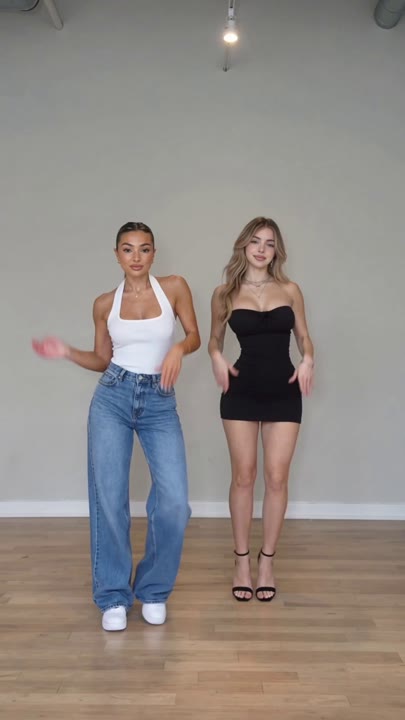
Ela Peida Funk dance edits combine a low, relaxed groove with large upper-body gestures that remain readable on a small screen. This preset uses that idea for a new solo sequence: the knees bounce softly, the shoulders alternate, and the arms open into a sideways point. A fixed full-body camera keeps the movement easy to follow and leaves room around the hands. The template does not transfer a named routine or match the original track beat for beat. Use the result as a playful character animation, a streetwear dance insert, or a starting clip for your own music edit.
Best for
- Funk-inspired solo clips
- Pointing-pose dance edits
- Playful character animations
Create your Ela Peida Funk dance
Choose your photo
Use one standing subject with visible hands, knees, and feet. Leave open space to either side for the arm swing. A straight or gently relaxed stance is easier to animate than a pose with arms crossed tightly over the chest.
Generate with the template
Upload the standing photo and select Generate video. The fixed direction creates one solo groove with an arm swing and a point, keeping the action clear rather than attempting a full synchronized routine.
Review and download
Check that the pointing hand remains a single clear shape and that both arms return naturally. Watch the knees and shoes for grounded movement. The outfit should stay consistent instead of changing during a shoulder turn.
Direction for the arm swing and groove
Use this reference direction as a starting point in custom-prompt mode. The template runs fixed instructions; remixing is a separate workflow, not an edit to the preset.
Animate the single subject in the reference photo into a playful funk-inspired dance. Preserve the recognizable face, hair, outfit, and proportions. Use a steady full-body view against a simple party-colored background. Begin with a soft knee bounce and alternating shoulder movement, then swing both arms gently outward and make one clear sideways pointing gesture. Return to a balanced front-facing pose. Keep the feet grounded and all hands visible, with relaxed continuous movement. Create an original short groove rather than transferring a specific performance or song timing. No extra dancers, costume swaps, acrobatics, song lyrics, or captions.
Before you create
Does this Ela Peida Funk preset include the Boompala choreography?
It creates an original funk-inspired groove from one image, not a transferred Boompala routine. The arm swing and point communicate the visual theme without promising exact timing or the original music. Review the movement you get, then use your editor to place a chosen soundtrack around that performance if needed.
Can I change the creative direction?
The preset uses fixed instructions. Copy the reference direction into custom-prompt mode to adapt it; this does not change the preset itself.
What video output should I expect?
The default length is 10s (reference ratio 406/720). The output follows your uploaded photo's aspect ratio and suits Funk-inspired solo clips, Pointing-pose dance edits, Playful character animations.
Give your portrait a playful funk moment
Choose a full-body image with room around the hands, then create a playful funk-inspired performance that ends on a clear, balanced pose.