
Upload a photo
PNG, JPG or WebP · up to 10 MB
Choose a photo to generate a video.
The cheerful BESTie Love Options gesture
Create a BESTie Love Options inspired AI video from one photo. Explore cheerful hand poses and a solo bounce, then review your short dance clip on ReelAI.
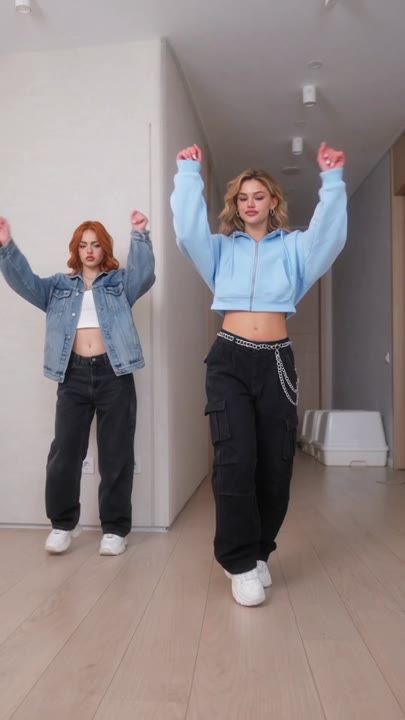
BESTie Love Options brings cheek-side hand poses and a light, cheerful bounce to a solo dance portrait. This preset narrows that chorus mood to one performer in a bright room, moving from a small side step into an open-arm gesture. A steady front view leaves enough space to read the hands and feet without adding a complicated stage. The workflow uses one image for a solo interpretation, rather than combining two photos into a synchronized duo. It is useful for a personal dance reaction, a character animation idea, or a short chorus-themed edit.
Best for
- Solo chorus edits
- Cheerful dance reactions
- K-pop character ideas
- Hand-gesture clips
Create a solo BESTie Love Options scene
Choose your photo
Use a full-body photo of one subject with hands separated from the face and torso. Leave empty space on both sides for open-arm movement. A plain room and visible shoes make the small side step easier to read.
Generate with the template
Generate one solo clip with this dance preset. The prepared movement uses a side step, cheek-side hands, and an open-arm bounce while keeping the camera in a simple front-facing position.
Review and download
Check both hands as they rise beside the cheeks and separate again. Watch for fingers merging with hair, and make sure the feet stay balanced during the bounce. The strongest section is the clearest gesture, not necessarily the longest sequence.
Direct the cheek pose and open arms
Use this reference direction as a starting point in custom-prompt mode. The template runs fixed instructions; remixing is a separate workflow, not an edit to the preset.
Use the single person in the uploaded photo for a cheerful solo dance inspired by the Love Options chorus mood. Keep the face, hairstyle, and outfit recognizable in a simple bright room. Frame the whole visible body with space around both arms. Begin with a small sideways step, bring the hands briefly beside the cheeks, then open the arms and add a light bounce. Return to a centered standing pose. Keep the camera still and the movements compact, with clear fingers, balanced feet, no additional dancers, and no text or logos.
Before you create
Can BESTie Love Options use two portraits for a duo?
This preset uses one photo and creates one video with a solo subject. It does not combine separate photos into a synchronized duo. For a split-screen concept, generate individual clips and arrange them in your editor. Each generation is a separate task, and the movements will not be matched frame for frame.
Can I change the creative direction?
The preset uses fixed instructions. Copy the reference direction into custom-prompt mode to adapt it; this does not change the preset itself.
What video output should I expect?
The default length is 12s (reference ratio 406/720). The output follows your uploaded photo's aspect ratio and suits Solo chorus edits, Cheerful dance reactions, K-pop character ideas, Hand-gesture clips.
Give your photo a chorus moment
Choose a clear full-body photo and explore a cheerful solo dance with expressive hand poses, open arms, and a light bounce for your edit.