
Upload a photo
PNG, JPG or WebP · up to 10 MB
Choose a photo to generate a video.
Small seated bounces and a playful hand swipe
Create a Baby Spend Dat AI dance video from a prepared baby-character image. Animate gentle seated bounces, a playful hand swipe, and a smile in a bright room.
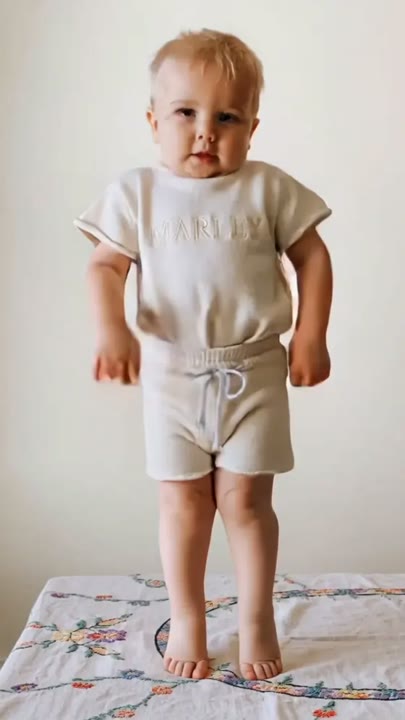
Baby Spend Dat turns a small character reaction into the whole scene. This version uses a clothed baby character seated on a soft mat, with tiny shoulder bounces and one playful hand swipe. Pastel summer colors provide the bright mood while the supported pose keeps the movement simple. Start with the character already prepared in the reference image; the preset does not first turn an adult portrait into a baby. It also does not transfer an adult dance routine or a particular track. Use the short animation as a cute character insert, a greeting, or a lighthearted reaction clip.
Best for
- Cute seated character clips
- Pastel reaction animations
- Playful baby-avatar greetings
Animate your Baby Spend Dat character
Choose your photo
Choose a prepared image of one fully clothed baby or baby-like cartoon character seated on a mat or cushion. Keep both hands and the face visible. Prepare that starting character separately if your only source is an adult selfie.
Generate with the template
Upload the prepared character image and select Generate video. The fixed direction keeps the character seated and adds gentle shoulder bounces, a hand swipe, and a smile in one bright room.
Review and download
Check that the character remains seated and supported, with small shoulder movements and one clear hand swipe. Review the smile, fingers, and outfit for continuity. Avoid a take that adds a sudden jump, unsupported standing pose, or a different character.
Direction for the supported pose and small movement
Use this reference direction as a starting point in custom-prompt mode. The template runs fixed instructions; remixing is a separate workflow, not an edit to the preset.
Animate the fully clothed baby character in the supplied image into a gentle seated dance. Preserve the character's face, hair, outfit, and rounded proportions. Keep the character seated on a soft mat in a bright pastel room with warm summer colors. Add two tiny shoulder bounces, one playful hand swipe, and a delighted camera-facing smile. Keep the legs relaxed and supported, with no standing, jumping, or adult-style dance movements. Use a fixed medium-wide camera and one continuous action. Let the movement stay small and toy-like. No additional characters, costume changes, original song, spoken lyrics, or captions.
Before you create
Can Baby Spend Dat create the starting baby avatar from my adult photo?
This preset animates the baby character already present in your uploaded image. It does not include a separate image-generation or age-transformation step before the video. Prepare the clothed character image first, then use the seated bounce and hand swipe as a short visual moment rather than expecting a full dance or an original soundtrack.
Can I change the creative direction?
The preset uses fixed instructions. Copy the reference direction into custom-prompt mode to adapt it; this does not change the preset itself.
What video output should I expect?
The default length is 12s (reference ratio 406/720). The output follows your uploaded photo's aspect ratio and suits Cute seated character clips, Pastel reaction animations, Playful baby-avatar greetings.
Give your baby avatar a delighted reaction
Prepare a clear, clothed baby-character image in a supported seated pose, then create a tiny bounce-and-smile reaction with a simple hand gesture.