
Upload a photo
PNG, JPG or WebP · up to 10 MB
Choose a photo to generate a video.
One chocolate bite, an oversized reaction
Use the Nestle Crunch AI Video Generator for a retro chocolate-ad scene. Turn one portrait into a dramatic bite, surprised pause and playful grin for your edit.
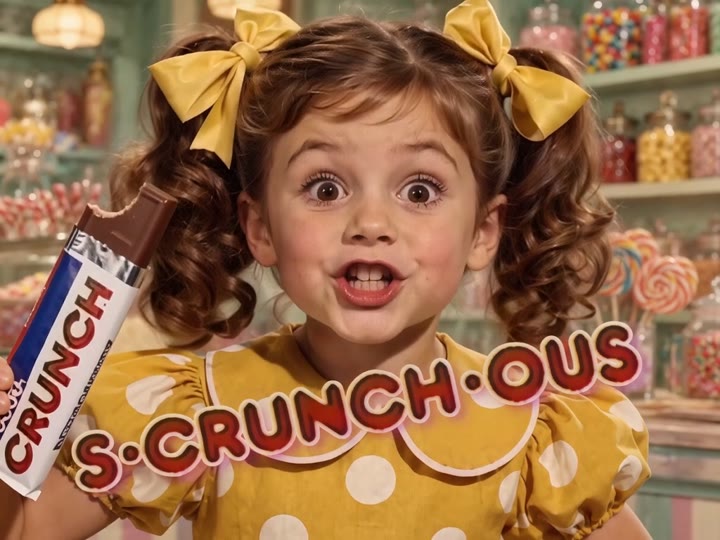
The Nestle Crunch AI Video Generator builds a nostalgic commercial-style gag around one person, one chocolate bar and an intentionally exaggerated reaction. Warm studio lighting, a waist-up composition and gentle vintage grain give the clip an old television-ad feel. The action stays simple: raise the bar, take a bite, pause and grin at the camera. Your portrait guides the subject's appearance, while the prop and setting are generated for this new scene. It is a visual interpretation of the chocolate-ad meme, not a replacement inside a finished commercial or a reproduction of its spoken jingle.
Best for
- Retro ad parodies
- chocolate reaction memes
- nostalgic portrait edits
Make your retro chocolate-ad clip
Choose your photo
Choose a waist-up portrait with the mouth, hands and shoulders unobstructed. A front-facing expression and even lighting help the reaction read clearly. Avoid photos already crowded with cups, food or objects near the face.
Generate with the template
Add your waist-up portrait and select Generate video. The preset builds a plain chocolate prop and a simple bite-reaction sequence, with warm lighting and a gentle push toward the final grin.
Review and download
Watch the chocolate bar as it approaches the mouth and check the bite contact, fingers and teeth. The expression should change without reshaping the face, and the prop should not split into extra bars.
The bite-and-grin creative direction
Use this reference direction as a starting point in custom-prompt mode. The template runs fixed instructions; remixing is a separate workflow, not an edit to the preset.
Create a playful retro chocolate-commercial scene featuring the single adult in the reference photo. Preserve their face, hairstyle and recognizable appearance. Frame them from the waist up against a warm studio backdrop with soft vintage grain. They hold a plain chocolate bar, take one small bite, pause with an exaggerated surprised expression, then smile directly at the camera. Use a gentle push-in and rich brown-and-gold lighting for an overacted advertisement mood. Keep the wrapper blank and hands coherent. No spoken lines, captions, branded packaging, duplicate chocolate bars or abrupt scene changes.
Before you create
Does the Nestle Crunch effect include the original commercial audio?
The Nestle Crunch effect focuses on the visual joke: a retro setting, chocolate bite and exaggerated reaction. It does not supply the original commercial, jingle or a matching spoken performance. You can edit the generated clip with your own audio choice afterward, or use the expressions as a silent reaction meme.
Can I change the creative direction?
The preset uses fixed instructions. Copy the reference direction into custom-prompt mode to adapt it; this does not change the preset itself.
What video output should I expect?
The default length is 9s (reference ratio 720/540). The output follows your uploaded photo's aspect ratio and suits Retro ad parodies, chocolate reaction memes, nostalgic portrait edits.
Star in a chocolate-commercial moment
Start with a clear portrait, create your retro reaction and inspect the chocolate bite. Download the most expressive take for your next nostalgic meme or short edit.