
Upload a photo
PNG, JPG or WebP · up to 10 MB
Choose a photo to generate a video.
A blue-lit groove with a confident finish
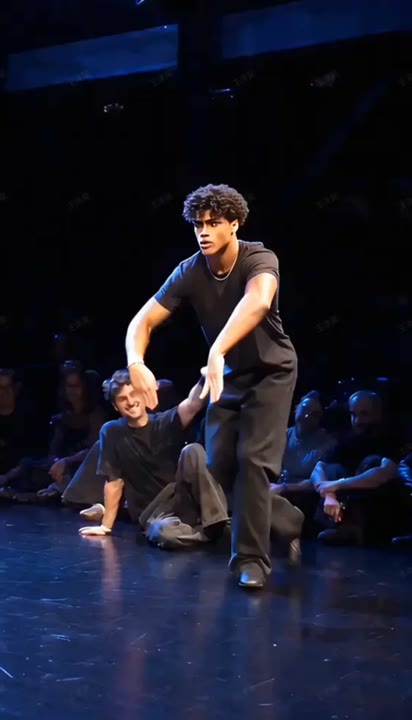
Make a Gang Gang Dance AI video from one standing photo. Animate a knee bounce, an arm roll, and a playful point in a blue-lit solo battle-stage performance.
Gang Gang Dance brings a confident battle-stage attitude to a still portrait. Blue light, open floor space, and a held closing pose create the setting while the knee bounce and forearm roll supply the movement. This preset keeps one lead and one continuous camera angle instead of attempting a full battle with several personalized dancers. The pointing gesture gives the short performance a clear finish without a complicated spin or leap. Use a standing photo to create a character entrance, a playful challenge response, or a dance insert that you can place inside a larger edit.
Best for
- Blue-lit solo performances
- Dance-battle character intros
- Playful challenge reactions
Create your Gang Gang Dance performance
Choose your photo
Select one full-body image with both shoes, elbows, and hands visible. Keep the arms away from the chest so the roll has room to develop. A balanced standing pose is more useful than a tight selfie for the final side step.
Generate with the template
Upload the standing image and select Generate video. The fixed direction keeps one performer in a blue-lit space for a small groove and a closing point, without adding a second dancer or cutting between stages.
Review and download
Follow the elbows during the forearm roll and the shoes during the side step. The point should remain a single hand gesture, with the same outfit and face through the blue lighting and a balanced finish at the end.
Direction for the roll, step, and point
Use this reference direction as a starting point in custom-prompt mode. The template runs fixed instructions; remixing is a separate workflow, not an edit to the preset.
Animate the single subject in the reference image into a confident blue-lit dance-battle performance. Preserve the face, hair, clothing, and proportions. Use a full-body camera with clear floor space. Begin with a small knee bounce and a slow forearm roll in front of the chest. Add one side step and a playful point toward the camera, then finish with both feet planted and the chin lifted slightly. Keep the movements continuous and the camera steady. Create an original short solo groove rather than copying a named dancer or song timing. No spinning, extra performers, costume changes, lyrics, or on-screen captions.
Before you create
Does Gang Gang Dance transfer Jean Phil's exact routine?
The preset makes a new solo interpretation with a bounce, an arm roll, and a closing point. It does not transfer the reference dancer's full sequence or request the original soundtrack. Choose a take with clear hand movement and grounded feet, then build your music timing around that generated performance if needed.
Can I change the creative direction?
The preset uses fixed instructions. Copy the reference direction into custom-prompt mode to adapt it; this does not change the preset itself.
What video output should I expect?
The default length is 12s (reference ratio 414/720). The output follows your uploaded photo's aspect ratio and suits Blue-lit solo performances, Dance-battle character intros, Playful challenge reactions.
Put your character on the battle stage
Pick a full-body portrait with clear hands and shoes, then create a short battle-stage groove that ends with a balanced stance and a playful camera point.