
Upload a photo
PNG, JPG or WebP · up to 10 MB
Choose a photo to generate a video.
An awkward moment on the concert screen
Create a Coldplay Kiss Cam AI video from one shared pair photo. Try a concert-screen surprise, a face-covering gesture and an embarrassed duck for a comic edit.
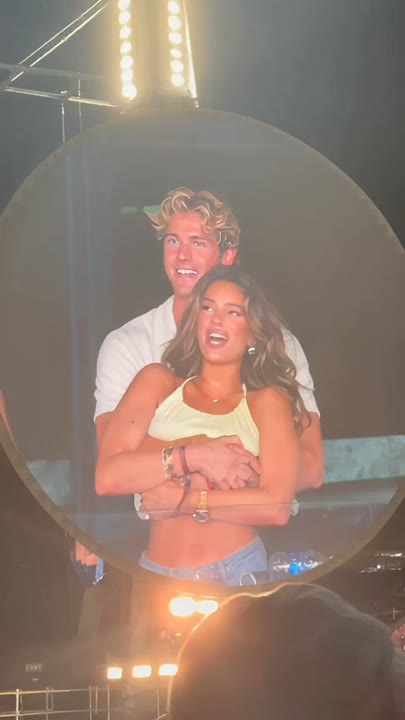
The Coldplay Kiss Cam effect uses a familiar concert-screen setup for a short awkward reaction. Two people already pictured together appear on one large stadium screen, notice the camera and respond with a face-covering gesture and a small embarrassed duck. A fixed view of the screen keeps the pair's positions readable while the crowd stays soft. This single-image version does not combine separate portraits or preserve a real concert recording. It creates a new reaction scene rather than a documented event. Use it for a playful couple meme, friendship embarrassment joke or caption-led party edit.
Best for
- Playful couple memes
- friendship embarrassment jokes
- concert-screen reaction edits
Create your Coldplay Kiss Cam reaction
Choose your photo
Upload one shared image containing both adults together, with clear separate faces and distinct clothing. Keep enough upper body visible for the covering gesture and small duck. The preset does not assemble two separate portraits before animation.
Generate with the template
Add your shared pair image and generate the stadium-screen scene. The effect keeps the camera on one screen while the pair notice it, cover part of a face and make a small embarrassed duck.
Review and download
Check that each face stays with the same person on the screen. The covering hand should not erase facial structure, the duck should remain small and the stadium frame should not create a duplicate pair elsewhere.
One screen, two small embarrassed gestures
Use this reference direction as a starting point in custom-prompt mode. The template runs fixed instructions; remixing is a separate workflow, not an edit to the preset.
Animate the two adults already pictured together in the uploaded image as a playful concert-screen reaction. Preserve each person's distinct face, hairstyle, clothing and side-by-side position. Show the pair on one large screen above a softly blurred stadium crowd, with the camera fixed on that screen. They begin close together, notice the camera, then one covers part of their face while the other makes a small embarrassed duck. Finish with a brief awkward pause. Keep movements restrained and identities separate. No added kiss, second screen copy, song lyrics, readable labels, extra featured faces or abrupt cuts.
Before you create
Can Coldplay Kiss Cam combine two separate photos or reproduce the real event?
Coldplay Kiss Cam here animates one shared pair image into a new concert-screen reaction. It does not merge two portrait uploads, edit actual event footage or establish that the pictured people attended a concert. Prepare the pair together first, then review both identities and the small gestures in the generated take.
Can I change the creative direction?
The preset uses fixed instructions. Copy the reference direction into custom-prompt mode to adapt it; this does not change the preset itself.
What video output should I expect?
The default length is 5s (reference ratio 406/720). The output follows your uploaded photo's aspect ratio and suits Playful couple memes, friendship embarrassment jokes, concert-screen reaction edits.
Give your shared photo a concert-screen surprise
Choose a clear shared portrait and create your awkward-screen reaction. Review both faces and gestures, then download the take with the clearest comic pause.