
Upload a photo
PNG, JPG or WebP · up to 10 MB
Choose a photo to generate a video.
A small shared turn with hands still joined
Create a Bhola Pan Saadgi AI video from a prepared couple photo. Add a gentle joined-hand sway, a small turn and a quiet camera move, then review in ReelAI.
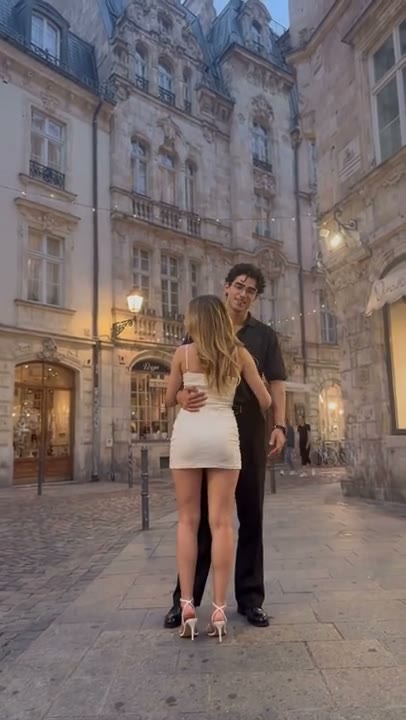
Bhola Pan Saadgi turns a hand-held moment into a short couple portrait. The chosen reference moves from a hand reaching toward the camera to a wider courtyard view where a couple comes together. This direction begins with both people already in your image and keeps the connection simple: a small weight shift, joined hands rising and a relaxed turn. It fits an anniversary insert or a quiet romantic Reel without requiring the full point-of-view reveal. The source preview supplies inspiration, not a verified ReelAI result or original-song performance.
Best for
- Couple memory Reels
- anniversary inserts
- quiet joined-hand portraits
Animate your Bhola Pan Saadgi couple photo
Choose your photo
Use one prepared photo with both adults standing close and already holding hands. Keep their faces, joined hands and feet visible, with room for a small turn. Separate portraits are not combined by this preset.
Generate with the template
Add your prepared couple photo and select Generate video. The direction keeps both people together while adding a gentle hand lift, a small turn and natural fabric movement.
Review and download
Follow the joined hands through the movement and check that each wrist stays connected to the correct person. Faces and outfit details should remain distinct as the pair turns. Look for sliding feet or courtyard lines that bend around the couple.
A gentle weight shift and a quiet joined-hand turn
Use this reference direction as a starting point in custom-prompt mode. The template runs fixed instructions; remixing is a separate workflow, not an edit to the preset.
Animate the two adults already standing close and holding hands in the prepared courtyard image. Preserve each person's recognizable face, hairstyle, outfit and body proportions, as well as their left-right order and the joined-hand connection. Use a steady medium-wide view showing both people and their feet. The couple gently shifts weight toward each other, lets the joined hands rise a little and makes a small shared turn before settling into a relaxed smile. Add subtle fabric and hair movement in a light breeze. Keep the courtyard lines and lights stable. Use a new quiet romantic motion rather than matching a song or reference sequence. No separate identity replacements, extra people, fast spins, sudden camera cuts, captions or outfit changes.
Before you create
Do I need a separate photo of each partner?
Upload one image that already contains the couple and their joined-hand pose. The direction animates that scene rather than combining two identity photos. It does not reproduce the source's complete point-of-view camera sequence or provide the original song; you can add your preferred soundtrack later.
Can I change the creative direction?
The preset uses fixed instructions. Copy the reference direction into custom-prompt mode to adapt it; this does not change the preset itself.
What video output should I expect?
The default length is 12s (reference ratio 406/720). The output follows your uploaded photo's aspect ratio and suits Couple memory Reels, anniversary inserts, quiet joined-hand portraits.
Bring a shared moment a little closer
Choose a couple photo with clear faces and joined hands. Review the connection and footwork, then download the take that feels most natural.