
Upload a photo
PNG, JPG or WebP · up to 10 MB
Choose a photo to generate a video.
A serenade beneath the window
Create a Bruno Window Serenade AI video from one scene image. Animate a driveway singer with a microphone, a guitar partner and a watcher at the window above.
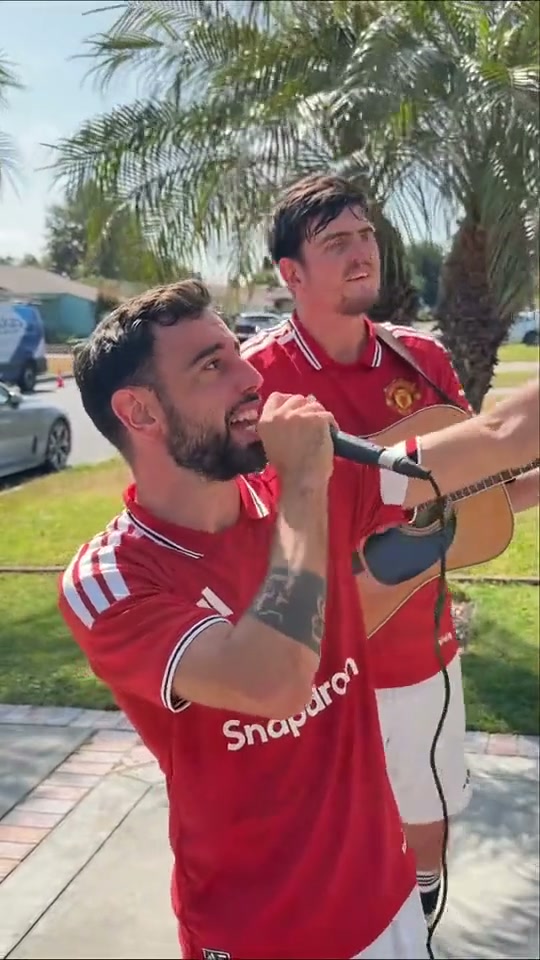
Bruno Window Serenade turns an earnest driveway performance into a small comedy scene. The reference cuts between a watcher upstairs and two performers below, with a microphone, an acoustic guitar and bright afternoon light. This direction keeps the upward glance and serenade gesture in one continuous view. Prepare the cast and house in a single image so their positions are established before animation.
Best for
- A playful dedication
- a friend-group reaction or a staged driveway performance. A readable window and instruments make the joke work without a caption.
Stage your driveway performance
Choose your photo
Upload one prepared scene with the singer in front, a guitarist beside or behind them, and a visible upstairs window. Keep faces and hands clear. To feature several specific people, place them together in that image before uploading.
Generate with the template
Use the preset's microphone gesture and upward glance. Keep the guitar player and window watcher secondary so one short scene carries the performance.
Review and download
Check that the microphone stays in the singer's hand, the guitar retains its shape and the upward eyeline leads toward the window. A small gesture reads better than fast cuts between roles.
Direct the upward serenade
Use this reference direction as a starting point in custom-prompt mode. The template runs fixed instructions; remixing is a separate workflow, not an edit to the preset.
Animate the prepared driveway scene in the uploaded image. Preserve the singer's recognizable face, hair, outfit and proportions, the guitarist's distinct appearance, and the house and upstairs window. The foreground singer holds the existing microphone near their mouth, glances up toward the window and gives one small open-handed serenade gesture. The guitarist makes a gentle strumming motion while remaining in place. The watcher at the window reacts with a restrained head tilt. Use one steady medium-wide view, natural sunlight and small body movements. Keep hands, microphone, guitar and window geometry coherent. No new performers, identity swaps, exact spoken lyrics, original recording, rapid cuts, captions or logos.
Before you create
Can I cast the singer and guitarist from separate photos?
This preset takes one image. Use a prepared same-frame scene containing both performers, or make the uploaded singer the principal character with a fictional guitarist already in the scene.
Can I change the creative direction?
The preset uses fixed instructions. Copy the reference direction into custom-prompt mode to adapt it; this does not change the preset itself.
What video output should I expect?
The default length is 12s (reference ratio 540/960). The output follows your uploaded photo's aspect ratio and suits A playful dedication, a friend-group reaction or a staged driveway performance. A readable window and instruments make the joke work without a caption..
Give your photo the serenade scene
Choose a prepared driveway scene, keep your cast visible and make a new window-serenade interpretation.